You probably do not care about construction software. You care about getting bids out, knowing where crews are, billing for changes, and finding the right photo when someone asks.
That is the real search behind simple construction software for subcontractors: relief, not a second job called "keeping the software updated."
If you only have 30 seconds
- Losing money? Prioritize job costing. Consider Knowify or JobTread.
- Losing time? Prioritize scheduling. Consider Fieldwire or Buildertrend.
- Losing paperwork? Prioritize field reporting. Consider Raken or eSUB.
- Already use QuickBooks? Buy around it instead of replacing it. Consider Knowify or a QuickBooks-connected workflow.
- Fewer than 10 employees? Do not buy enterprise construction management software yet. Consider Fieldwire, Raken, or a simple QuickBooks-plus-calendar setup first.
- Entering the same job into four systems? You may need custom software between the tools you already use. Consider PixelsWithin.
So here is the inside scoop: do not start with feature lists. Start with the problem the software has to remove.
The best construction software for a subcontractor is the smallest system that fixes the most expensive bottleneck.
Best simple construction software for subcontractors: quick recommendations
Start here if you just need a short list of tools to consider:
These are not the only good options. They consistently appear because each solves a different problem subcontractors commonly run into: job costing, field reporting, scheduling, QuickBooks integration, residential workflows, commercial coordination, or the point where a growing contractor needs more than a spreadsheet.
| What's slowing you down | Consider | Why this fit makes sense |
|---|---|---|
| You cannot tell which jobs are actually making money. | Knowify | Knowify is built around the subcontractor money path: estimate, contract, time, change order, invoice, QuickBooks, and job cost. It is a better first look when the problem is profitability, not just task tracking. |
| Your field updates are scattered across texts, photos, and memory. | Raken | Raken is narrow in a useful way. It is strongest when the business needs cleaner daily reports, time cards, photos, and jobsite documentation without buying a full back-office platform. |
| Your crews need a simple way to see plans, tasks, and jobsite updates. | Fieldwire | Fieldwire starts from field coordination. It is a practical fit when the office needs visibility into the jobsite, but accounting and invoicing can stay somewhere else. |
| You run residential projects where client communication is part of the work. | Buildertrend | Buildertrend is more naturally aligned with residential builders and remodelers than with commercial subcontractors living inside GC-driven RFI and submittal workflows. |
| You are on larger commercial jobs with lots of drawings, RFIs, submittals, and stakeholders. | Procore | Procore makes sense when coordination complexity is the business problem. It is powerful because it is built for many companies, roles, documents, and approvals moving through the same project. |
| Your spreadsheet system is breaking, but you want one operating system instead of separate point tools. | JobTread | JobTread is worth a look when you are ready to standardize sales, estimating, jobs, files, and finances in one place. It is less about one small fix and more about giving a growing contractor a shared operating rhythm. |
| You mainly need scheduling and field notes, but not deep accounting. | Fieldwire or Raken | Both can be lighter than adopting a full construction management platform. Fieldwire leans toward tasks/plans; Raken leans toward reports/time/photos. |
| You use QuickBooks and want job costing to stop living in a side spreadsheet. | Knowify or JobTread | Both are more relevant when the pain is financial workflow. Knowify is especially subcontractor-focused; JobTread is broader if you want the surrounding sales and project workflow too. |
Those are starting points, not universal winners. The best software for small subcontractors depends on which part of the business is actually breaking.
Quick note: this guide is for subcontractors choosing software to run their own jobs. If you are a general contractor looking for subcontractor onboarding, insurance tracking, compliance records, or vendor approvals, you are shopping for a different category of subcontractor management software.
How to choose simple construction software for subcontractors
Simple does not mean weak. It means the software gets out of the way.
For a subcontractor, simple usually means you can see the job, update the job, bill the job, and find the job history without calling three people or searching five places.
Before you book demos, choose the main problem you are shopping for.
| If your real problem is... | Shop for... | Tools often considered |
|---|---|---|
| Estimates take too long | Estimating templates, bid tracking, proposal history | Knowify, JobTread, Buildertrend |
| You do not know which jobs make money | Job costing, budgets, labor tracking, accounting sync | Knowify, QuickBooks-focused contractor tools |
| Crew schedules keep changing | Scheduling, dispatch, assignments, mobile updates | Fieldwire, Buildertrend, JobTread |
| Photos and field notes disappear | Daily reports, photo documentation, jobsite logs | Raken, Fieldwire, eSUB |
| Commercial paperwork is the pain | RFIs, submittals, change orders, document control | eSUB, Procore, Autodesk Construction Cloud |
| QuickBooks is already the source of truth | Accounting sync, invoicing, job costs, payments | Knowify, Method, QuickBooks ecosystem tools |
| You are coordinating larger commercial jobs | Permissions, drawings, RFIs, reporting, documents | Procore, Autodesk Construction Cloud |
Use that table as a filter, not a ranking. A tool can be great and still be wrong for you if it solves a problem you do not have.
Your trade changes the answer
A concrete flatwork subcontractor, a structural steel fabricator, a flooring installer, an electrical contractor, and a remodeling company may all search for construction project management software for subcontractors. They should not all buy the same thing.
If your trade has specialized estimating, fabrication, production tracking, drawings, or compliance requirements, check trade-specific tools before buying a generic project management platform. Structural steel may need a Tekla-connected workflow. A concrete crew may care more about scheduling pours and tracking resources. A flooring subcontractor bidding a high volume of GC work may care more about bid tracking, takeoffs, and proposal follow-up.
The more specialized the workflow, the more dangerous generic "all-in-one" comparisons become.
Before buying construction software for your subcontracting business
Most subcontractors are not starting from zero. You may already have Bluebeam for takeoffs, QuickBooks for accounting, Excel for estimating, email for GC communication, and texts for field updates.
That stack is not embarrassing. It is common. The issue is the gap between the tools.
The estimate lives in one place. The job budget lives somewhere else. The change order starts in an email. The field photo is in a text thread. The invoice is in QuickBooks. The schedule is in a spreadsheet only one person trusts.
You are not shopping for a shiny platform. You are shopping for a cleaner handoff between the tools and people already running the business.
The hidden feature that matters most: integrations
For subcontractors, integrations are less about technical architecture and more about whether the software plays nicely with the tools you already use.
The biggest mistake is buying construction software that forces you to re-enter the same information in multiple places. If the estimate, budget, invoice, field photo, and job status all have to be updated separately, the software may look organized while the office gets busier.
Before choosing a tool, ask:
- Does it sync with QuickBooks?
- Can estimates become budgets without retyping?
- Can change orders move into invoicing cleanly?
- Can field photos and notes attach to the right job?
- Can you export your data if you outgrow the tool?
The simplest construction software is often the one that eliminates the most duplicate typing.
Shop the workflow, not the brand
Good software shopping is a skill. The trick is to make the vendor prove their tool can handle your real work, not their clean demo project.
1. Bring one ugly real job to the demo
Do not let the demo stay abstract. Use a job that had a schedule change, a missing photo, a change order, a revised drawing, or a billing question. Ask the vendor to show exactly how that job would move through the system.
2. Test the phone workflow
If your field team has to fight the app, they will go back to texting. The core action should be obvious on a phone:
- Upload the photo
- Mark the task done
- Record time
- Add a note
- Flag an issue
3. Follow the money
Ask how an estimate becomes a budget, how a change order gets approved, how costs land on the job, and what syncs to QuickBooks. A tool can be useful for project coordination and still fail at job costing.
4. Decide the source of truth
If Bluebeam, QuickBooks, Excel, email, and the new tool all hold different pieces of the answer, decide which system owns what. Otherwise the software becomes a more expensive version of the same mess.
5. Price the implementation, not just the subscription
The monthly fee is only part of the cost. Someone has to set up projects, cost codes, templates, permissions, files, training, and cleanup. If nobody owns that, the tool will drift.
Drift (n., operations software): the gap that opens when the information in your software falls behind the work happening in the real world. Eventually, the data inside the system becomes unreliable.
Why more software costs more than the subscription
A lot of small contractors buy software for the company they hope to become instead of the company they are running right now.
That is understandable. Nobody wants to outgrow a system six months after implementing it. But overbuying creates a different problem: the software becomes another job.
If you have fewer than 10 field employees, one person handles most scheduling, and you mainly need to replace spreadsheets, texts, paper forms, and scattered files, you probably do not need enterprise construction software yet.
Software is not like buying a truck with a bigger trailer and leaving the extra space empty until you need it. With software, you keep paying gas on the extra weight every day. More system usually means more setup, more fields, more training, more permissions, more decisions, and more ways for the team to use it inconsistently.
You can see this in real reviews. G2's Procore review summary says users praise the centralization, but also mention a steep learning curve and navigation challenges. One small-business reviewer described having to manually update the same Excel attachment across multiple Procore tools, which made coordination more tedious. That is the tradeoff: powerful software can centralize the work, but it can also add work if the workflow is heavier than your team needs.
That also does not mean you should choose a dead-end tool. Choose a tool with a clean next step:
- Data export
- QuickBooks integration
- Room to add users
- A path from one workflow to the next when the business is ready
A good first tool solves today's bottleneck and still leaves room for tomorrow's business.
You can move beyond paper without swallowing the whole software category at once. Make the first software decision narrow: pick the part of the business creating the most drag and fix that first.
When enterprise construction software is too much for subcontractors
You may need to participate in a GC's Procore account. That does not automatically mean you need to buy your own.
Tools like Procore and Buildertrend are built around heavier coordination environments: many roles, document control, RFIs, submittals, change orders, financial controls, reporting requirements, and collaboration across multiple companies. For the right project shape, that structure is useful.
If you are a five-person electrical company trying to stop losing jobsite photos and speed up invoices, a large construction management platform may solve problems you do not have yet while creating new work for the office.
You may need to use the GC's system for drawings, RFIs, submittals, and project communication while keeping your own simpler internal system for the work your company has to run across every job.
In other words: you may need to participate in Procore without making Procore the place where your whole company lives.
Software does not create process discipline by itself. It exposes whether the process exists.
The all-in-one trap
It is tempting to look for one tool that does everything: estimating, takeoffs, scheduling, documents, RFIs, change orders, accounting, photos, daily reports, customer communication, and dashboards.
Sometimes that is the right move. But an all-in-one system can still become a messy desk.
If every project manager sets up jobs differently, if cost codes are inconsistent, if change orders are tracked in side notes, if the field team skips updates, or if nobody agrees which system is the source of truth, the tool will not solve the problem. It will just move the confusion into a more expensive place.
One system is only simpler if the team agrees how it will be used.
For a small subcontractor, a few focused tools may work better than one giant platform. Bluebeam can stay good at takeoffs. QuickBooks can stay the accounting source of truth. A lighter construction tool can handle scheduling, field updates, change orders, and job organization.
A tool that technically does everything still has to survive daily use. If the team will not keep it current, the information will not stay trustworthy.
You want a setup where nobody has to wonder which system has the real answer.
Match the software to the operating complexity
Headcount alone does not tell you what to buy. The better signal is how much coordination the business has to carry every week.
| If your week looks like... | Software shape to consider | Watch for |
|---|---|---|
| One person can still see most jobs clearly. | QuickBooks, a shared calendar, simple estimating, organized folders, and lightweight forms may still be enough. | Do not add a platform just to look more mature. Add one when the current setup starts dropping work. |
| The office is chasing schedules, photos, invoices, and updates every day. | Look for focused tools around scheduling, field updates, job photos, invoicing, or basic job costing. | A tool with too many workflow steps can create more follow-up than it removes. |
| Multiple people need the same job information at the same time. | Dedicated construction software with roles, reports, job costing, change orders, and accounting sync starts to make more sense. | The setup needs an owner, or the system will drift. |
| Work moves across crews, managers, accounting, customers, GCs, and vendors. | Stronger permissions, standardized workflows, integrations, reporting, and implementation ownership become more important. | Another point solution may not help if the real issue is data moving poorly between systems. |
A two-person subcontractor and a 40-person subcontractor can search for the same phrase and need completely different answers because their coordination load is different.
What the common features actually mean
Software pages make the same features sound bigger than they are. Here is what you are really looking for.
Estimating and proposals
If estimates are slow, inconsistent, or trapped in old spreadsheets, estimating software can help standardize how work is priced. The key is reuse:
- Saved line items
- Templates
- Assemblies
- Previous bids
- Clear proposal output
Do not buy estimating software just because the proposal looks nicer. Buy it if it reduces rework, prevents missed scope, and helps you quote faster without making the estimate less accurate.
Scheduling and dispatch
Scheduling software is useful when the office keeps answering the same questions: Where is the crew? Who is going tomorrow? Did the date change? Which job is waiting on materials?
For small teams, the schedule should be extremely easy to update. If moving a crew takes six clicks and a training video, people will go back to texting.
If scheduling is the main problem, the iOS or Android app matters. The field team should be able to see assignments, update status, upload photos, and flag issues without opening a laptop or calling the office.
A good mobile workflow respects the jobsite. It lets someone send the update while they are standing in front of the problem, not later when they are trying to remember what happened.
Job costing
Job costing matters when the question is not "Did we get paid?" but "Did we make money?"
That usually means tracking estimated cost against actual labor, materials, equipment, subcontracted work, and change orders. If QuickBooks is already your accounting source of truth, pay close attention to how the construction tool syncs with it. A weak accounting sync can create more cleanup than it saves.
This is where many construction software decisions get harder. Estimates, budgets, cost codes, change orders, invoices, payments, payroll, retainage, and work-in-progress reporting all touch money. If those pieces do not flow cleanly, the office ends up reconciling the system by hand.
Before choosing a tool, map the money path:
- Where does the estimate start?
- How does an accepted bid become a job budget?
- Where are cost codes or service items defined?
- How are change orders approved and billed?
- Where do labor and material costs land?
- What syncs to QuickBooks, and what still has to be entered manually?
If the software cannot answer those questions clearly, it may still help with project coordination. But it may not solve job costing.
That distinction matters because many subcontractors are not trying to make the software look complete. They are trying to stop forgetting to bill for changes, stop cleaning up duplicate entries, and stop finding out too late that a job was less profitable than it looked.
Field reporting and photos
Daily reports, photos, and jobsite notes are often the first workflow worth digitizing. They protect the business when there is a dispute, help the office understand what happened, and reduce the number of "Can you send me that picture again?" messages.
The field team should be able to capture the update quickly from a phone. The office should be able to find it later by job, date, person, or issue.
Documents and drawings
Document control becomes important when people are working from the wrong drawing, missing a spec, or searching email for the latest attachment.
For commercial subcontractors, RFIs, submittals, drawings, change orders, and closeout documents may become central. For smaller residential or service-oriented teams, a clean job folder structure may be enough until document volume grows.
Free or low-cost options: when they are enough
Some subcontractors do not need paid construction management software yet.
A simple setup can work if the business is small, the jobs are straightforward, and one person can still keep the process visible without becoming the bottleneck.
A starter system might be QuickBooks for accounting, a shared calendar for crew schedules, a standard estimate template, cloud folders organized by job, and a simple form for field notes or photos.
That is not fancy. It can still be a major improvement over scattered texts and paper.
The risk is that starter systems depend on discipline. If people save files in random places, skip the form, forget to update the calendar, or keep side notes in texts, the system slowly turns back into the old mess.
If the simple setup is working, do not apologize for it. A good system tells you where the work stands, what needs attention, and what needs to be billed.
Paid software starts to make sense when the manual system is no longer reliable enough to protect time, money, or customer trust.
The demo-room test
When you are comparing tools, do not ask whether the software has a feature. Ask whether it can survive your week.
| Ask this | Why it matters |
|---|---|
| What is the first bottleneck this tool fixes? | If you cannot name it, you are buying possibility instead of relief. |
| Can the field team do the core action on a phone in under a minute? | If not, they will text the office instead. |
| What syncs to QuickBooks, and what still has to be entered by hand? | Bad accounting sync creates cleanup work. |
| Who owns setup, templates, cost codes, files, and training? | Software without an owner becomes another messy desk. |
| Can you export your data if you leave? | You do not want your job history trapped in a tool you outgrow. |
| Does the price fit your company now? | Buying for the future can starve the present. |
The last part is important. Changing software is easy compared with changing how a team actually works. If the tool requires a new process, name that honestly before you buy it.
A simple tool that people use every day beats a powerful system everyone avoids.
When simple construction software for subcontractors stops fitting
Most subcontractors should not build custom software first.
Off-the-shelf construction software is usually the right first move because estimating, scheduling, field reporting, documents, invoices, and job costing are common problems. A mature tool should get you part of the way there faster than a custom build.
Custom software starts to make sense later, when the business has a proven workflow and the available tools keep forcing bad compromises.
You will feel it when the fit is wrong. You are paying for a large platform but using only a small part of it. The real process still lives in spreadsheets. Staff enter the same job, customer, invoice, or schedule data in multiple places. Reporting requires exports, cleanup, and manual reconciliation every week.
Once you are entering the same information into four systems, the issue may no longer be "Which app should we buy?" It may be that your business needs one clean workflow between the tools it already depends on.
At that point, the question is not "Which construction software has more features?"
The better question is: What workflow are we trying to make reliable?
Sometimes the answer is still a better off-the-shelf tool. Sometimes it is a small integration between the tools you already use. Sometimes it is a custom portal, dashboard, intake flow, or internal system that sits between your website, field team, customers, and accounting software. That is the kind of workflow problem PixelsWithin helps businesses turn into custom software.
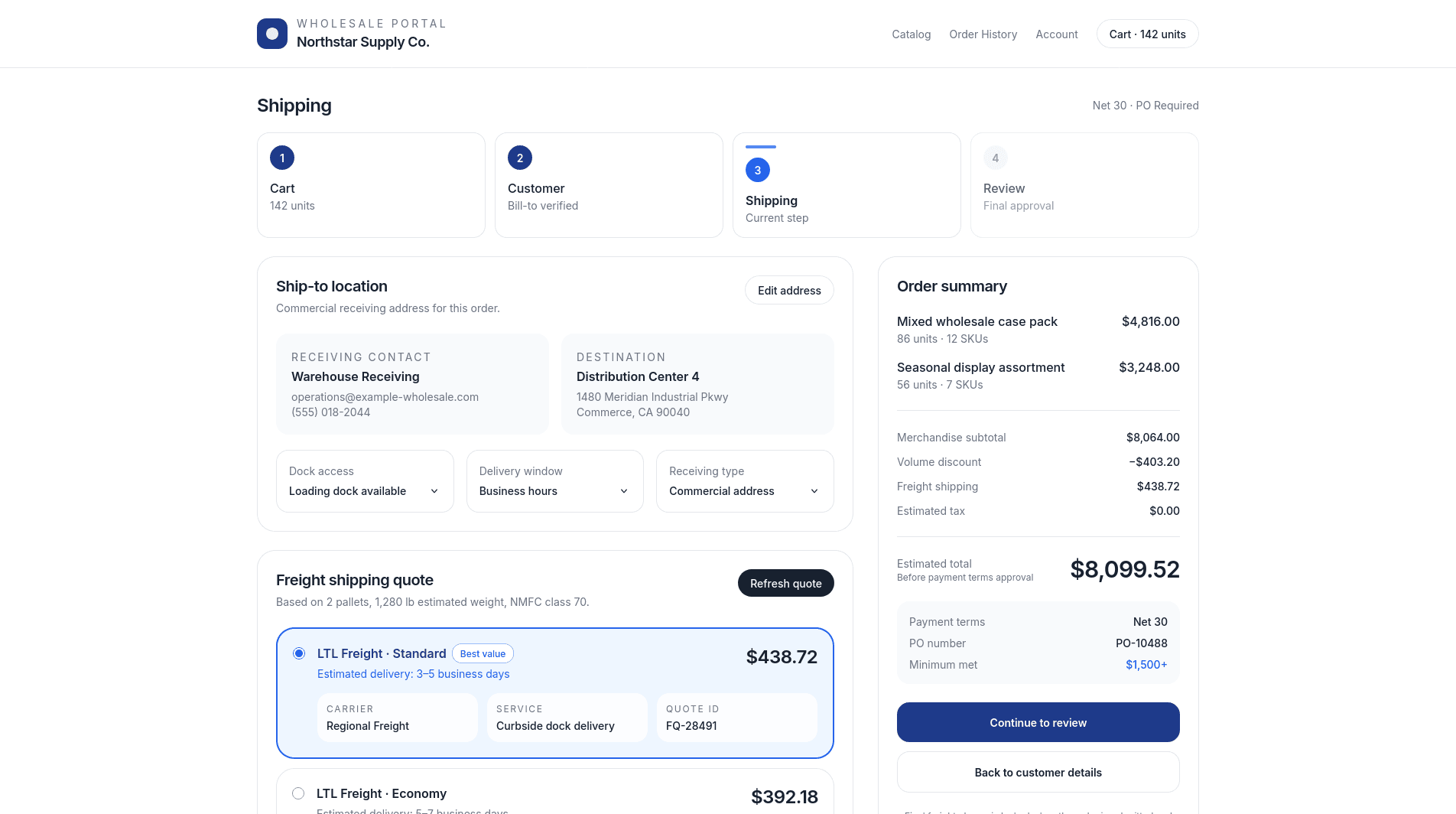
Case study: Freight integration
A commercial checkout stopped depending on separate quote forms when the system could pull the real freight rate directly into the buying flow.
The bottom line
Simple construction software for subcontractors should make the business easier to run, with less time spent keeping the software updated.
Choose the tool that removes the work that should not require another phone call, another spreadsheet, or another person remembering what happened.
Choosing software is only one part of cleaning up a subcontracting business. If your website, quote process, customer handoff, or internal workflow still depends on manual follow-up, PixelsWithin helps turn those messy steps into simple, usable systems.

This is what I do as a product engineer.
If this sounds like your kind of problem, reach out.
FAQ
What is the best simple construction software for subcontractors?
The best simple construction software for subcontractors depends on the bottleneck. Knowify is a strong first look for job costing and QuickBooks-connected subcontractor financials. Raken is a good fit for daily reports, time cards, photos, and field documentation. Fieldwire is useful for plans, tasks, punch lists, and field coordination. JobTread is worth considering when a growing contractor wants sales, estimating, jobs, files, and finances in one system.
Do small subcontractors need construction management software?
Small subcontractors do not always need full construction management software. A very small team may be fine with QuickBooks, a shared calendar, organized job folders, and a standard estimate template. Dedicated software starts to make sense when schedules, job photos, change orders, invoices, and field updates are scattered across texts, email, spreadsheets, and paper.
Is Procore too much for a small subcontractor?
Procore can be more system than a small subcontractor needs when the main problems are scheduling, job photos, estimates, invoices, or basic task tracking. It is a better fit for larger commercial jobs with RFIs, submittals, drawings, change orders, permissions, reporting, and collaboration across multiple companies. A small subcontractor may still need to use a GC's Procore account without buying Procore as its internal operating system.
What construction software works with QuickBooks?
Knowify and JobTread are common construction software options to evaluate when QuickBooks integration matters. Knowify is especially focused on subcontractor job costing, invoicing, time tracking, change orders, and QuickBooks-connected financial workflow. JobTread is broader and can connect estimating, sales, project management, files, and job finances. Before choosing any tool, confirm exactly how customers, invoices, payments, job costs, items, classes, and change orders sync.
What should subcontractors look for before buying software?
Subcontractors should look for software that fixes one expensive bottleneck first. If job costing is the bottleneck, compare Knowify or JobTread. If field reporting is the bottleneck, compare Raken or Fieldwire. If commercial coordination is the bottleneck, evaluate eSUB, Fieldwire, Autodesk Build, or Procore. The tool should work well on mobile, connect to accounting where needed, export data, and have a clear owner for setup and maintenance.
What is the easiest construction software to learn?
The easiest construction software to learn is usually the one that matches the workflow you already understand. Fieldwire can be easier for field teams that mainly need plans, tasks, and photos. Raken can be easier when the core need is daily reports and time cards. Knowify can be easier for subcontractors already thinking in estimates, change orders, invoices, job costs, and QuickBooks.
Can I manage a subcontracting business with QuickBooks alone?
You can manage a very small subcontracting business with QuickBooks alone if accounting, invoicing, and basic customer records are the main needs. Once you need crew scheduling, bid tracking, job photos, change orders, field updates, or project history in one place, QuickBooks usually needs a companion tool such as Knowify, JobTread, Fieldwire, Raken, or another construction app that fits the workflow.